
Google's Rich Results Test checks a page or code sample for structured data used by supported Google Search features. Start there if you want to test a URL now. This guide explains what to do with the result, including a real test of a FloxoLab article.
The useful question after a green result is: did Google detect the right information about this page? A parser can accept a headline that belongs to another article. It can accept a date that your publishing workflow accidentally changed. Validation is one part of a release decision.
What the Rich Results Test checks — and what it doesn't
Use the test to inspect the structured data Google can detect for supported rich-result features. It accepts JSON-LD, Microdata and RDFa. Open an individual item to investigate its reported issues. Google's test documentation explains the result states and controls.
Keep three questions separate: can the test fetch and parse the page; does the markup accurately describe the visible content; and does Google actually show an enhanced result for a query? Those require different evidence. A successful test is not proof of indexing, a ranking improvement or a special appearance in live Search.
Google's structured data policies explicitly say that correct markup does not guarantee display. Quality and relevance checks still matter. Do not add an invented rating, hidden answer or unrelated product simply to produce another detected item.
URL mode vs code mode
Choose URL when you want to check a publicly accessible page. Paste the full canonical URL, keep the smartphone user agent unless you have a specific desktop comparison to investigate, and run the test. Record the tested URL and date alongside the result.
Choose Code when you are developing a template or isolating a problem before release. Paste the relevant HTML and its structured data. This is useful for comparing a proposed change with the existing output, but it does not establish that the deployed URL serves the same code.
Our recommended sequence is code check during development, followed by a URL check of the released page. If the two disagree, compare what was deployed, what the test fetched and what JavaScript added. Do not keep editing a working JSON-LD sample to compensate for an access problem on the server.
Read the result: valid items, warnings, errors and no items
The exact message depends on the detected type and its issues. Read the individual item before deciding whether a template change is needed. This triage order is our practical workflow:
| What you see | Question to ask | Useful next action |
|---|---|---|
| Valid items | Are these the intended entities? | Compare headline, author, image and page identity with the visible content. |
| A non-critical issue or warning | Can we supply the suggested information accurately? | Review the type-specific documentation; add real data where useful. |
| An invalid item or critical error | Which property or syntax problem caused it? | Expand the issue, locate the code and fix the owning template or source field. |
| No items detected | Was relevant supported markup expected? | Check the type, rendered output and current support before adding anything. |
| Fetch or crawl failure | Did the test reach the intended HTML? | Investigate access and response behavior before debugging properties. |
No items detected does not mean the page has no structured data. Schema.org includes vocabulary beyond Google's rich-result features. A useful Service object, for example, is not a promise of a special service listing. Check Google's structured data introduction before treating every schema type as a supported Search appearance.
For a syntax problem, first inspect punctuation, quoting and the structure around the reported location. For a property issue, check the expected value and the specific entity involved. If multiple plugins output competing versions of the same article, find the source of each block rather than pasting a third copy into the page.
Rendering, blocked resources and inconsistent results
Our debugging order is deliberately narrow: verify the tested URL, inspect the fetch result, open the tested page, then inspect the structured data that actually arrived. Compare that output with your template. Record the difference before making a change.
A URL behind a login or firewall is a poor candidate for a public URL test. For JavaScript-based pages, check whether the expected entity exists in the tested output. A successful view in your signed-in browser is not evidence that an anonymous test received the same page.
Also inspect the content itself. Does a cookie screen replace the article? Does the final URL differ from the one you intended? Is the CDN serving an older template? These are investigation questions, not automatic explanations for every failed test. Follow the evidence from the failed fetch or missing field.
When a response is a server error, use our 5xx troubleshooting guide. For wider crawl and template sampling, follow the Screaming Frog and Search Console audit. A one-page test cannot establish that every page using the template works.
Rich Results Test vs Schema Markup Validator vs Search Console
| Tool | Use it for | Keep separate |
|---|---|---|
| Rich Results Test | Inspecting a URL or code sample for supported Google rich-result markup. | A live test result and actual Search appearance. |
| Schema Markup Validator | Inspecting the extracted Schema.org graph and syntax. | Vocabulary validation and Google feature eligibility. |
| Search Console URL Inspection | Investigating Google's indexed URL information and, separately, a live test. | The indexed version and the currently served page. |
| Search Console rich-result reports | Following supported item types and issues across a property. | Sampled detected items and an exhaustive page inventory. |
The Schema.org validator documentation describes graph extraction and syntax checks. Google Search uses a narrower feature contract. Passing one validator does not make the other redundant.
Google's rich-result report overview says these reports contain samples rather than every detected item. The list of report types also differs from what you may see in a one-page test: do not assume that an Articles result requires an Articles enhancement report.
Valid markup, no rich result: retired and restricted types
Old tutorials can send you toward an appearance Google no longer supports. The June 2025 simplification announcement named Book Actions, Course Info, Claim Review, Estimated Salary, Learning Video, Special Announcement and Vehicle Listing. Its September update removed six of those types from the test and Search Console reporting.
Google announced further simplification in November 2025, with affected Search Console and API support being removed from January 2026. Use the documentation changelog and the current feature guide when maintaining older markup.
The current changelog also records the retirement of FAQ rich results from 7 May 2026 and the removal of that feature’s documentation in June. Do not follow older advice that treats FAQ rich results as a current option for selected sites.
A vocabulary can remain meaningful outside a retired Google display. Keep or remove it according to its real use and maintenance cost. For features with audience or content restrictions, verify those conditions before implementation. Changing a type name to something still supported does not make the underlying page eligible.
Worked example: testing a FloxoLab article
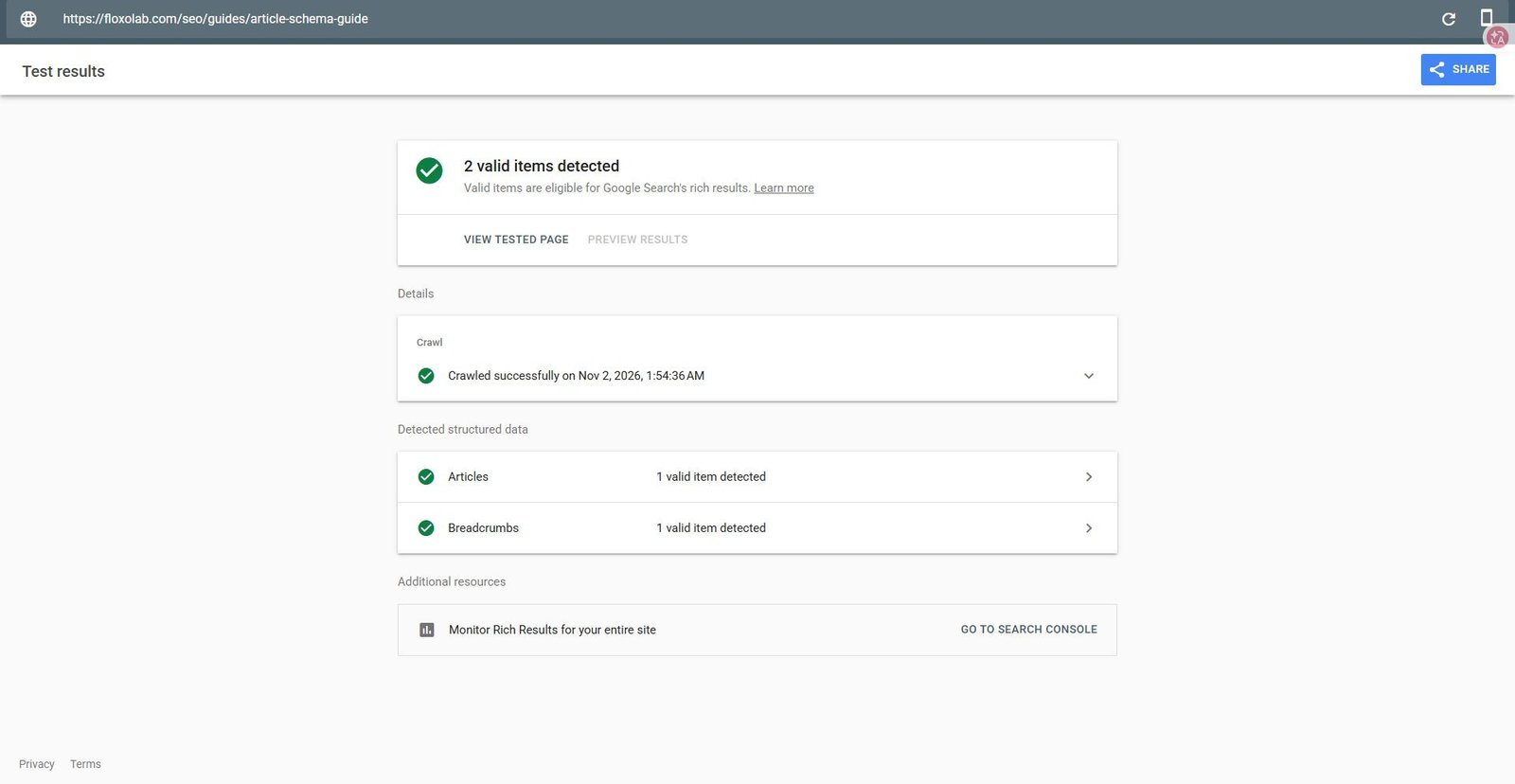
On 2 November 2026, we ran a URL-mode test of Article Schema Guide: Author, Dates, and Breadcrumbs. These are screenshots of the actual Google tool, with the account header excluded from the public copies.
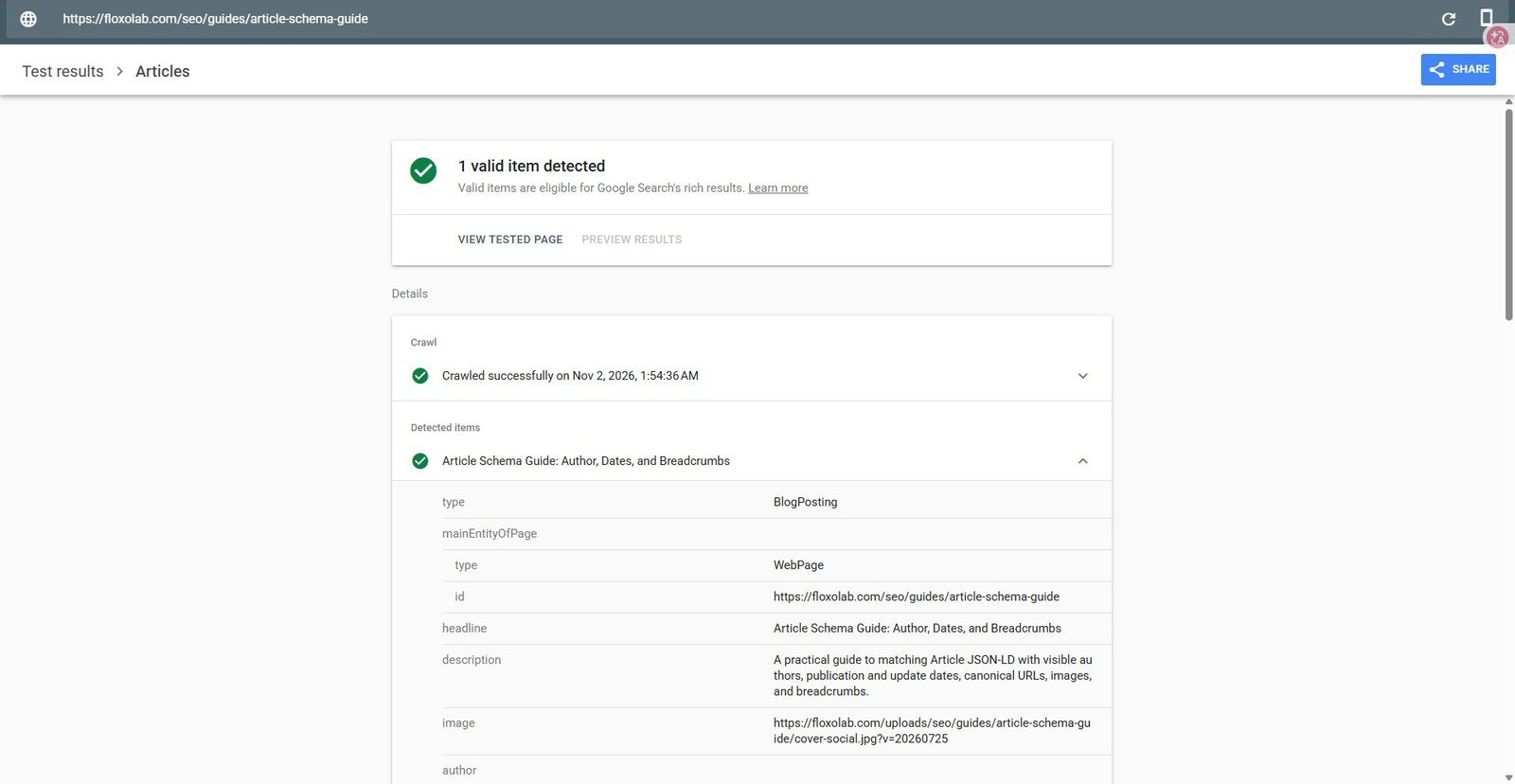
Opening Articles revealed a BlogPosting with the guide's headline and canonical page reference. The expanded item also identified FloxoLab as an Organization author. The next editorial check is whether those fields match the article readers see.
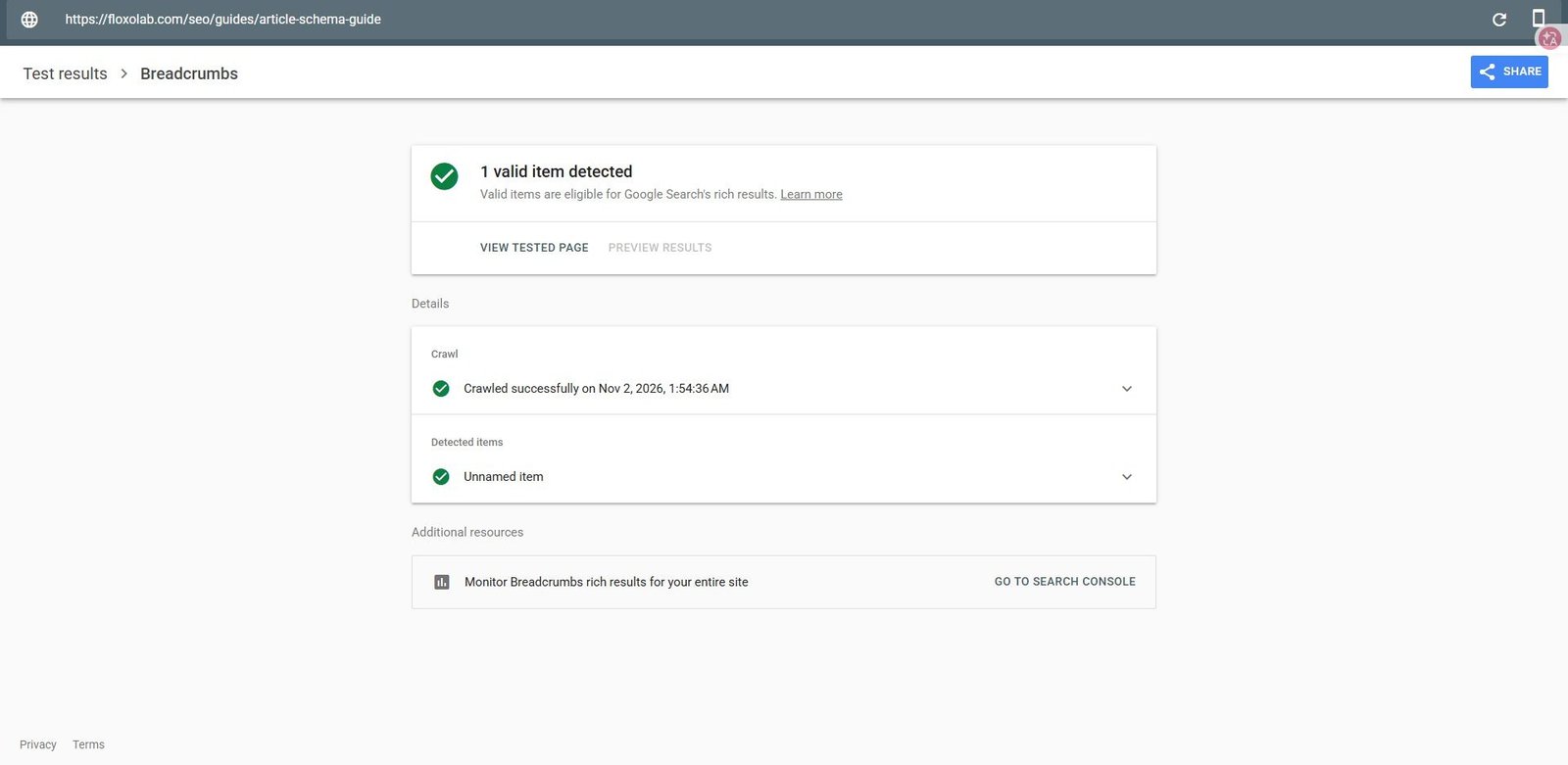
The Breadcrumbs result contained one valid item. We treat that as a separate check from Article markup: breadcrumb paths should represent the site's navigation hierarchy. The result count is a count of items, not two articles or two indexed URLs.
The preview control was disabled in this run despite the valid items. We did not infer a broken implementation from that alone. We also did not measure a ranking change, a click increase or live rich-result display from this test.
A release checklist for structured data
- Choose the entity that accurately describes the page.
- Compare source fields with the visible headline, author, dates, image and canonical URL.
- Check a code sample during development and review individual issues.
- After an approved release, test the actual public URL.
- Sample the other templates or page variants affected by the change.
- Record the date, URL, user agent, detected items and unresolved issues.
- Use URL Inspection and relevant Search Console reports for follow-up.
- Measure search performance separately before making an outcome claim.
For implementation details, return to the Article and Breadcrumb JSON-LD guide. For bylines and supporting evidence, use the author authority guide. Keep the data accurate as the page changes; repeated green tests cannot compensate for misleading source content.
Sources checked
Primary documentation and the live example were checked on 2 November 2026. The links above distinguish tool instructions, Schema.org validation, Google feature policies and the 2025 retirement announcements. The cover is an AI-generated editorial illustration; the three test images are real captures.